I am using MAAS 3.5.7 in a lab environment.
The servers’ power driver is a webhook (probably irrelevant to the issue).
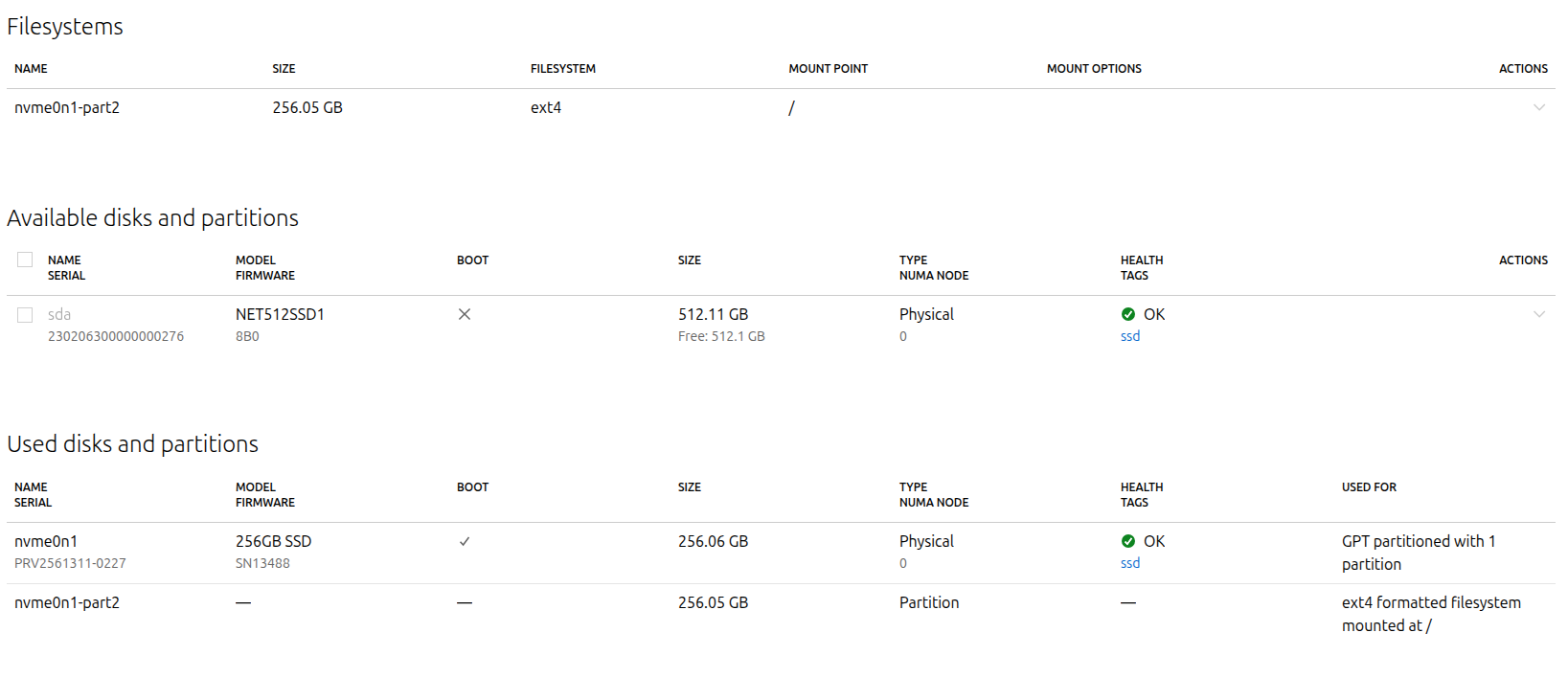
Each server has two disks:
/dev/nvme0n1 — NVMe disk (target for OS installation)
/dev/sda — SATA disk (not marked as boot and with no partitions)
The operating system is correctly installed on /dev/nvme0n1.
The /dev/sda disk is not marked as boot and has no partitions, as shown in the MAAS Storage screen:
Expected behavior:
After OS installation, PXE should fall back to booting from /dev/nvme0n1, which is marked as the boot disk in MAAS.
Observed behavior:
After the OS is installed and the system reboots, the server starts via PXE.
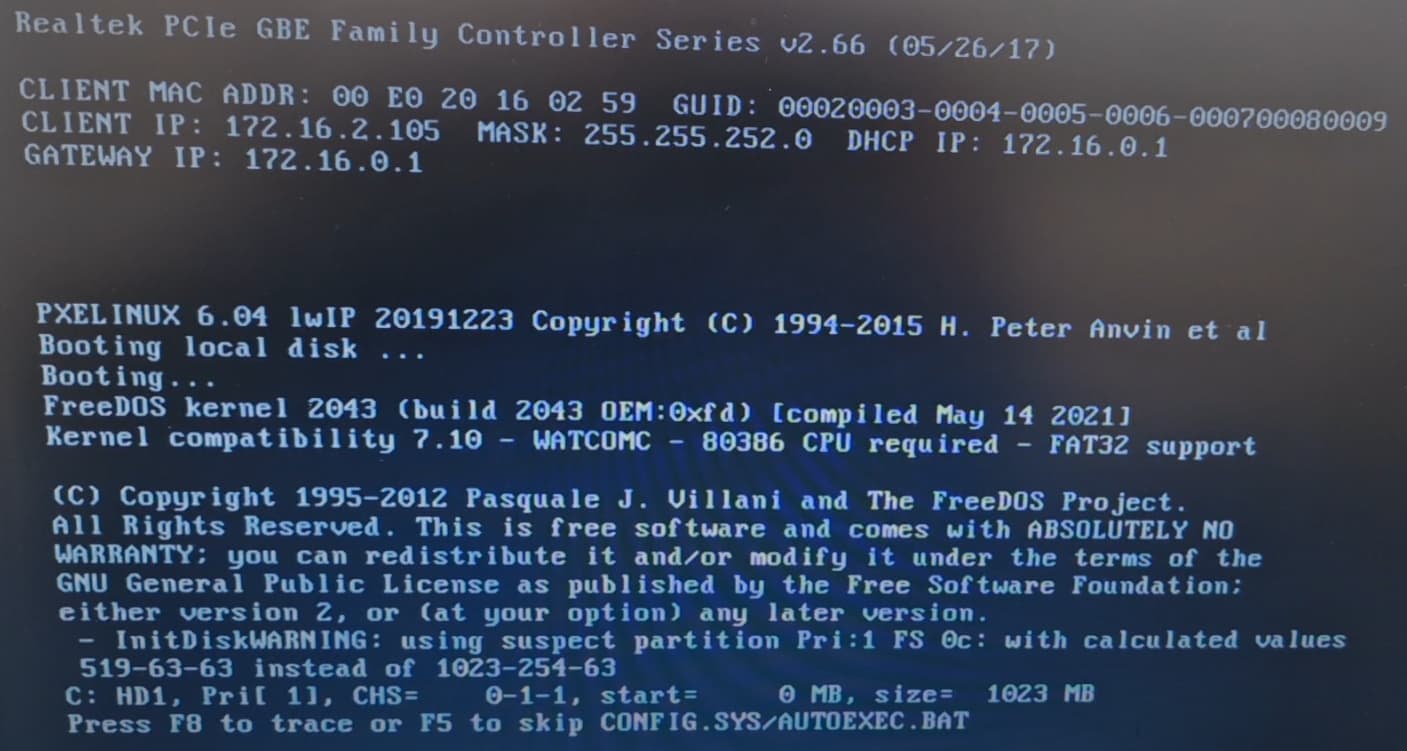
PXE then displays something like “booting from local disk” and loads /dev/sda instead of /dev/nvme0n1.
This results in an endless boot loop, as the SATA disk has no valid OS.
To confirm the issue, I manually installed FreeDOS on /dev/sda. After reinstalling the OS via MAAS, PXE booted into FreeDOS — proving that the PXE fallback is loading the wrong disk.
If I manually change the boot device in BIOS to the NVMe disk, the OS installed by MAAS boots successfully.
This suggests that the PXE boot script used by MAAS may be selecting the first disk detected by firmware (/dev/sda) instead of the disk marked as boot disk in MAAS.
Question:
Is there any known workaround for this behavior?
Or is this a known bug in the PXE fallback logic in MAAS?
If I physically remove the disk from the server, everything works, but the extra disk configuration still remains in MAAS’s storage settings.
If I keep the disk plugged in but remove it from the storage configuration, the issue persists it still tries to boot from the first disk (in this case, sda).
This is a legacy boot correct ? not UEFI ? if that is the case you might be able to change the order of disks inside bios to make sda secondary. in UEFI, it does not matter which disk it is, it matters for it to contain FAT32 partition containing EFI bootloader and it would not be able to boot freedos since freedos is not UEFI compatible. Try the bios boot order, it depends on vendor but usually there is something to control the order of disks. If not, then it’s a bus issue and maybe internal cabling can be reordered but that is very slim chance of working.