TL;DR:
- Thank you!
- MaaS appears to leak
maasserver_staticipaddress rows when a machine’s interface is set to Dynamic and the machine is released, the DHCP lease expires, and then the machine is deployed again.
Again, thank you very much! I read through the topic that you referenced, and indeed the count of rows that would be cleared is now zero. However, I still see this count of static IP address rows:
maas=# select alloc_type, count(alloc_type) from maasserver_staticipaddress  group by alloc_type;
 alloc_type | count
------------+--------
          0 |    262
          1 |     49
          4 |      2
          5 |      2
          6 | 248710
(5 rows)
It appears that the vast majority of these IP address entries have no IP address at all:
maas=# select count(id) from maasserver_staticipaddress where ip is null;
 count
--------
 248869
(1 row)
With a LOT of help from some others with a LOT more SQL experience than I have, I stumbled across this query which lists the number of maasserver_interface_ip_addresses rows associated with specific interface IDs, sorted by the highest count:
maas=# select iface.id, node.hostname, count(rel.interface_id)
from maasserver_interface_ip_addresses rel
join maasserver_interface iface on iface.id = rel.interface_id
join maasserver_node node on node.boot_interface_id = iface.id
group by iface.id, node.hostname
order by count(rel.interface_id) desc
limit 20;
 id  |  hostname   | count
-----+-------------+-------
 695 | VM-38-13623 |  1808
 515 | VM-39-13380 |  1663
 462 | VM-38-13467 |  1582
 691 | VM-34-13623 |  1579
 514 | VM-38-13380 |  1579
 171 | vm-06-12578 |  1572
 460 | VM-36-13467 |  1562
 694 | VM-37-13623 |  1538
 510 | VM-34-13380 |  1535
 178 | vm-13-12578 |  1521
 207 | vm-01-12574 |  1500
 516 | VM-40-13380 |  1496
 265 | vm-21-12577 |  1490
 463 | VM-39-13467 |  1482
 459 | VM-35-13467 |  1465
 274 | vm-03-12575 |  1426
 223 | vm-17-12574 |  1402
 251 | vm-07-12577 |  1393
 457 | VM-33-13467 |  1393
 193 | vm-11-12579 |  1380
(20 rows)
I ran an experiment with one particular machine whose network interface is configured with an Automatic address assignment. When that machine was initially in the Ready state, it had 1216 static IP address associations:
maas=# select iface.id, node.hostname, count(rel.interface_id)
from maasserver_interface_ip_addresses rel
join maasserver_interface iface on iface.id = rel.interface_id
join maasserver_staticipaddress static on static.id = rel.staticipaddress_id
join maasserver_node node on node.boot_interface_id = iface.id and node.hostname = 'vm-04-12578'
group by iface.id, node.hostname
order by count(rel.interface_id) desc
limit 20;
 id  |  hostname   | count
-----+-------------+-------
 169 | vm-04-12578 |  1216
(1 row)
All of these static IP addresses rows have null IP address fields, however:
maas=# select iface.id, node.hostname, count(rel.interface_id)
from maasserver_interface_ip_addresses rel
join maasserver_interface iface on iface.id = rel.interface_id
join maasserver_staticipaddress static on static.id = rel.staticipaddress_id and static.ip is null
join maasserver_node node on node.boot_interface_id = iface.id and node.hostname = 'vm-04-12578'
group by iface.id, node.hostname
order by count(rel.interface_id) desc
limit 20;
 id  |  hostname   | count
-----+-------------+-------
 169 | vm-04-12578 |  1216
(1 row)
Deploying the machine resulted in one of the static IP address rows being assigned an IP address:
maas=# select iface.id, node.hostname, count(rel.interface_id)
from maasserver_interface_ip_addresses rel
join maasserver_interface iface on iface.id = rel.interface_id
join maasserver_staticipaddress static on static.id = rel.staticipaddress_id
join maasserver_node node on node.boot_interface_id = iface.id and node.hostname = 'vm-04-12578'
group by iface.id, node.hostname
order by count(rel.interface_id) desc
limit 20;
 id  |  hostname   | count
-----+-------------+-------
 169 | vm-04-12578 |  1216
(1 row)

maas=# select iface.id, node.hostname, count(rel.interface_id)
from maasserver_interface_ip_addresses rel
join maasserver_interface iface on iface.id = rel.interface_id
join maasserver_staticipaddress static on static.id = rel.staticipaddress_id and static.ip is null
join maasserver_node node on node.boot_interface_id = iface.id and node.hostname = 'vm-04-12578'
group by iface.id, node.hostname
order by count(rel.interface_id) desc
limit 20;
 id  |  hostname   | count
-----+-------------+-------
 169 | vm-04-12578 |  1215
(1 row)
Releasing this machine did not change the total count of static IP address entries, but the IP address field of each one of them returned to null:
maas=# select iface.id, node.hostname, count(rel.interface_id)
from maasserver_interface_ip_addresses rel
join maasserver_interface iface on iface.id = rel.interface_id
join maasserver_staticipaddress static on static.id = rel.staticipaddress_id
join maasserver_node node on node.boot_interface_id = iface.id and node.hostname = 'vm-04-12578'
group by iface.id, node.hostname
order by count(rel.interface_id) desc
limit 20;
 id  |  hostname   | count
-----+-------------+-------
 169 | vm-04-12578 |  1216
(1 row)

maas=# select iface.id, node.hostname, count(rel.interface_id)
from maasserver_interface_ip_addresses rel
join maasserver_interface iface on iface.id = rel.interface_id
join maasserver_staticipaddress static on static.id = rel.staticipaddress_id and static.ip is null
join maasserver_node node on node.boot_interface_id = iface.id and node.hostname = 'vm-04-12578'
group by iface.id, node.hostname
order by count(rel.interface_id) desc
limit 20;
 id  |  hostname   | count
-----+-------------+-------
 169 | vm-04-12578 |  1216
(1 row)
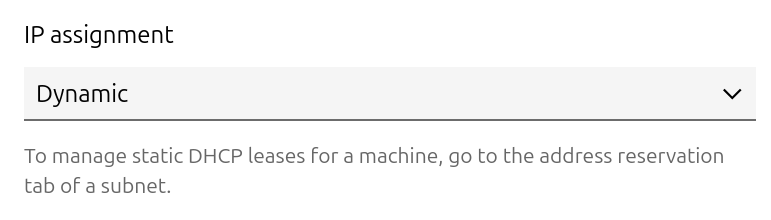
Here’s where things get really interesting… I changed the interface from Automatic to Dynamic which prevents the DHCP server from restarting after the dhcpd.conf file is updated:
Then I deployed the machine again - and the total number of IP addresses grew by one:
maas=# select iface.id, node.hostname, count(rel.interface_id)
from maasserver_interface_ip_addresses rel
join maasserver_interface iface on iface.id = rel.interface_id
join maasserver_staticipaddress static on static.id = rel.staticipaddress_id
join maasserver_node node on node.boot_interface_id = iface.id and node.hostname = 'vm-04-12578'
group by iface.id, node.hostname
order by count(rel.interface_id) desc
limit 20;
 id  |  hostname   | count
-----+-------------+-------
 169 | vm-04-12578 |  1217
(1 row)

maas=# select iface.id, node.hostname, count(rel.interface_id)
from maasserver_interface_ip_addresses rel
join maasserver_interface iface on iface.id = rel.interface_id
join maasserver_staticipaddress static on static.id = rel.staticipaddress_id and static.ip is null
join maasserver_node node on node.boot_interface_id = iface.id and node.hostname = 'vm-04-12578'
group by iface.id, node.hostname
order by count(rel.interface_id) desc
limit 20;
 id  |  hostname   | count
-----+-------------+-------
 169 | vm-04-12578 |  1216
(1 row)
Releasing the machine does not appear to have released the IP address until the DHCP lease expires:
maas=# select iface.id, node.hostname, count(rel.interface_id)
from maasserver_interface_ip_addresses rel
join maasserver_interface iface on iface.id = rel.interface_id
join maasserver_staticipaddress static on static.id = rel.staticipaddress_id
join maasserver_node node on node.boot_interface_id = iface.id and node.hostname = 'vm-04-12578'
group by iface.id, node.hostname
order by count(rel.interface_id) desc
limit 20;
 id  |  hostname   | count
-----+-------------+-------
 169 | vm-04-12578 |  1217
(1 row)

maas=# select iface.id, node.hostname, count(rel.interface_id)
from maasserver_interface_ip_addresses rel
join maasserver_interface iface on iface.id = rel.interface_id
join maasserver_staticipaddress static on static.id = rel.staticipaddress_id and static.ip is null
join maasserver_node node on node.boot_interface_id = iface.id and node.hostname = 'vm-04-12578'
group by iface.id, node.hostname
order by count(rel.interface_id) desc
limit 20;
 id  |  hostname   | count
-----+-------------+-------
 169 | vm-04-12578 |  1216
(1 row)
If this machine is redeployed before the DHCP lease expires, it is assigned the same IP address and the row in the database is “reused.” However if the DHCP lease does expire before the node is redeployed, the static IP address count increases by one:
maas=# select iface.id, node.hostname, count(rel.interface_id)
from maasserver_interface_ip_addresses rel
join maasserver_interface iface on iface.id = rel.interface_id
join maasserver_staticipaddress static on static.id = rel.staticipaddress_id
join maasserver_node node on node.boot_interface_id = iface.id and node.hostname = 'vm-04-12578'
group by iface.id, node.hostname
order by count(rel.interface_id) desc
limit 20;
 id  |  hostname   | count
-----+-------------+-------
 169 | vm-04-12578 |  1218
(1 row)

maas=# select iface.id, node.hostname, count(rel.interface_id)
from maasserver_interface_ip_addresses rel
join maasserver_interface iface on iface.id = rel.interface_id
join maasserver_staticipaddress static on static.id = rel.staticipaddress_id and static.ip is null
join maasserver_node node on node.boot_interface_id = iface.id and node.hostname = 'vm-04-12578'
group by iface.id, node.hostname
order by count(rel.interface_id) desc
limit 20;
 id  |  hostname   | count
-----+-------------+-------
 169 | vm-04-12578 |  1217
(1 row)